 ️
️ Triggers (Routine-Backed Events)
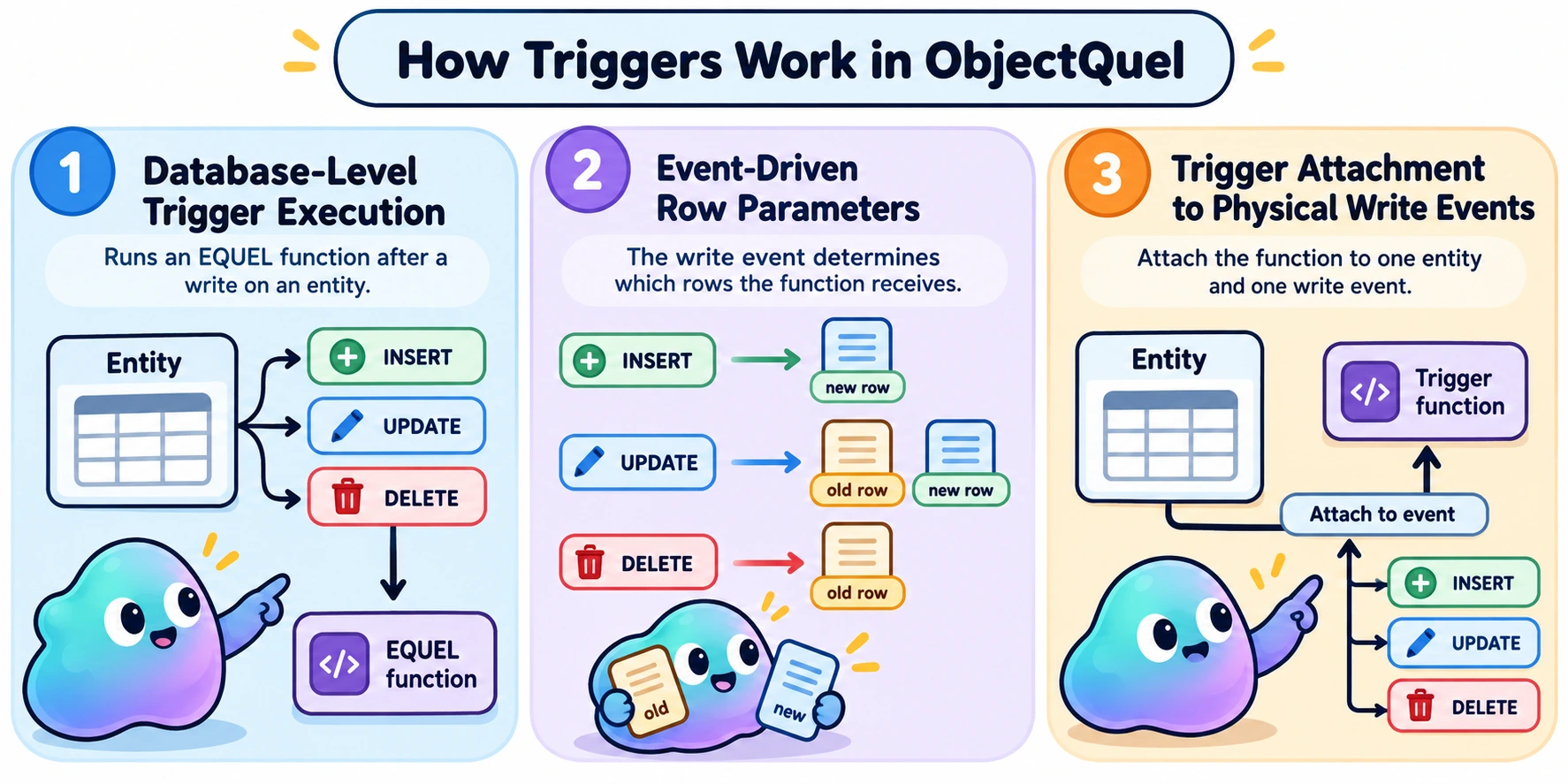
A trigger runs an EQUEL function after an INSERT, UPDATE, or DELETE on an entity. Define a tfunction, bind it to an entity event, and the database invokes it with the affected row's values.
On this page:
Creating a trigger
This example records a user's previous and new name after an update. First define the function, then bind it to the UserEntity range:
$entityManager->executeQuery('
    range of a is App\Entity\UserAuditEntity
    define tfunction audit_user (UserEntity old, UserEntity new) {
        append to a (
            userId = new.id,
            previousName = old.username,
            currentName = new.username
        )
    }
');

$entityManager->executeQuery('
    range of u is App\Entity\UserEntity
    after replace u call audit_user as audit_trigger
');
These are separate statements. Once bound, audit_user runs after each UPDATE to the entity's table, including writes made through the ORM, EQUEL, or direct SQL. The database supplies the row before and after the update; call audit_user needs no argument list.
Trigger parameters
Define a trigger function with define tfunction instead of define function; it declares no return type, since it never returns a value to a caller. The database calls it directly when the event fires, passing the affected row as entity-row parameters. The event determines how many rows the function receives:
| Event | Rows supplied, in parameter order | Example parameters |
|---|---|---|
after append to | New row | (UserEntity new) |
after replace | Old row, then new row | (UserEntity old, UserEntity new) |
after delete | Old row | (UserEntity old) |
Position matters; names such as old and new are conventions. A replace function can declare just the old row, or both rows, but never the new row alone — parameters bind to the leading rows an event supplies, in order. Each parameter's entity type must match the entity receiving the trigger. Use its mapped scalar fields, such as old.username, in the function body.
Binding a trigger
Declare a database range for the entity, then bind a trigger function to one of its physical write events:
after append to u call on_created
after replace u call audit_user as audit_trigger
after delete u call on_removed as on_removed_trigger
The function must accept the rows shown above. A binding has one target range and one event; it runs for the corresponding physical operation. For example, a soft delete that issues an UPDATE fires after replace.
The optional alias identifies the binding on that table and must be unique there. If omitted, ObjectQuel generates one. Use an explicit alias when you know you will remove the trigger later; php bin/sculpt quel:list-triggers lists live bindings and their aliases, including generated ones (see Sculpt).
Removing a trigger
Name the target range and binding alias. Add if exists when the binding might already be gone:
$entityManager->executeQuery('
    range of u is App\Entity\UserEntity
    destroy trigger u audit_trigger if exists
');
destroy trigger removes the binding, leaving its function available. To remove the function too, use destroy function audit_user after unbinding it — destroy function also removes a tfunction, since a trigger function is a specialized function, not a separate kind of object; there's no separate destroy tfunction form.
Rules and limitations
- A trigger function cannot, directly or through a function it calls, write to the entity's table that caused the trigger. Reading that table is allowed.
- ObjectQuel only binds after triggers — never before or instead-of — so
oldandneware always read-only. This is deliberate: if a trigger could rewritenewon the way in, the ORM's in-memory entity would still hold the value it sent, with no way to learn what was actually written. - Unbind a trigger before destroying its bound function. Also unbind it before altering its table to drop, rename, or retype a column, or change the primary key. After the schema change, redefine and rebind the trigger as needed.
Database support
| Database | What to account for |
|---|---|
| MySQL / MariaDB / PostgreSQL | The function runs once for each affected row. |
| SQL Server | The function runs once for each affected row; row order is unspecified. An after replace binding requires a mapped primary key, and an UPDATE that writes a key column is rejected, even when its value does not change. |
| SQLite | Trigger functions and bindings are unsupported because ObjectQuel cannot deploy the required stored routine. |
When a statement changes several rows, avoid relying on reads of the triggering table to show the same intermediate state on every database.