 ️
️ Retrieving Data
The retrieve clause determines what comes back from the database. You can return complete entity objects with all properties populated, select individual scalar properties, or mix both in a single query.
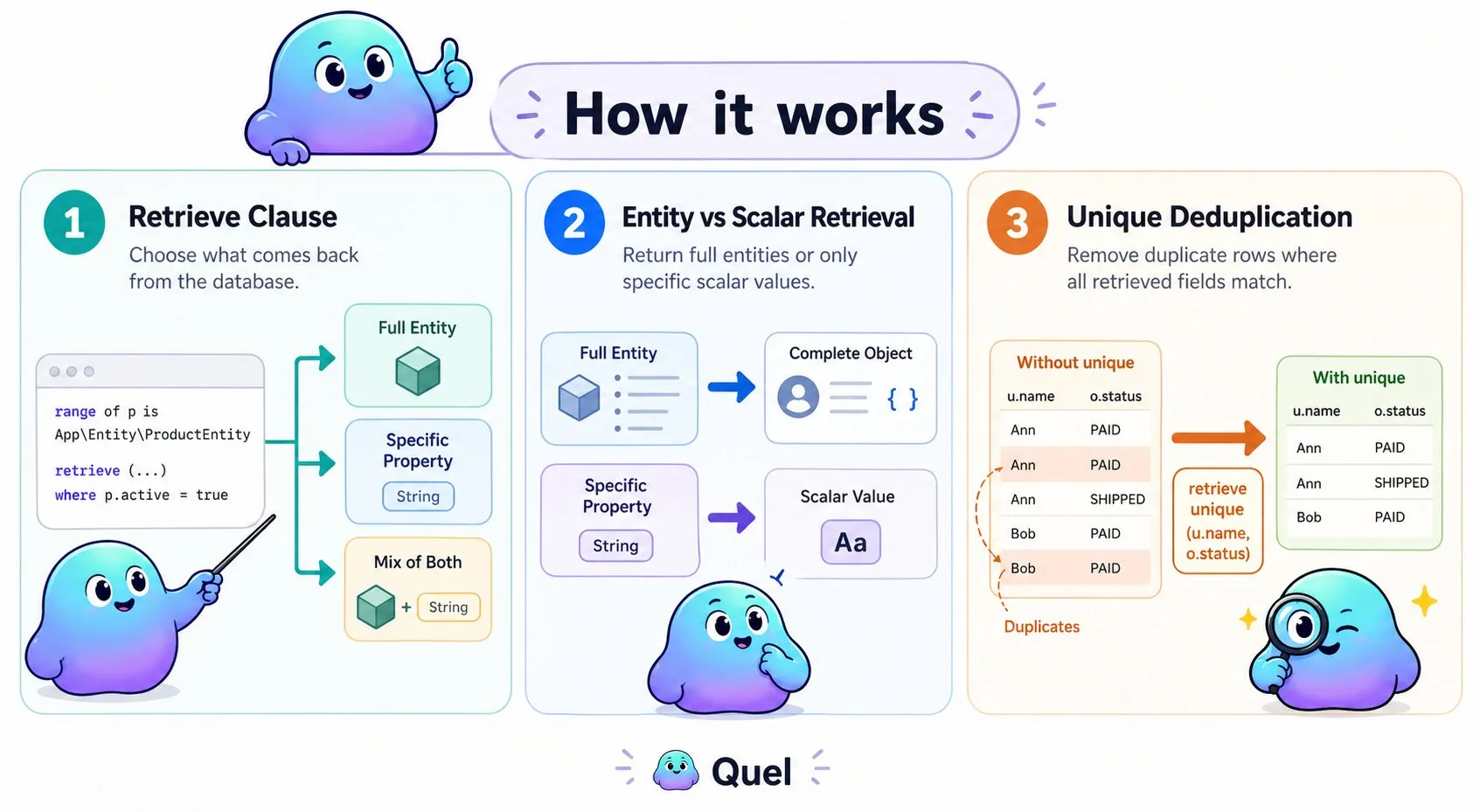
Retrieve Full Entities
Returns complete entity objects with all properties populated. Use this when you need the full entity:
$results = $entityManager->executeQuery("
    range of p is App\\Entity\\ProductEntity
    retrieve (p) where p.active = true
");

foreach($results as $row) {
    $product = $row['p'];
    echo $product->getName();
    echo $product->getPrice();
}
Retrieve Specific Properties
Returns only the requested property values as scalars. Use this to minimize memory usage and avoid loading data you don't need:
$results = $entityManager->executeQuery("
    range of p is App\\Entity\\ProductEntity
    retrieve (p.name) where p.active = true
");

foreach($results as $row) {
    $name = $row['p.name']; // String value, not an entity object
    echo $name;
}
Mix Entities and Properties
Combines full entity objects with scalar property values. Useful when you need a complete entity from one range but only specific fields from a related entity:
$results = $entityManager->executeQuery("
    range of p is App\\Entity\\ProductEntity
    range of c is App\\Entity\\CategoryEntity via p.category
    retrieve (p, c.name) where p.price < 100
");

foreach($results as $row) {
    $product = $row['p'];           // Full ProductEntity object
    $categoryName = $row['c.name']; // String
}
Deduplication with unique
Add unique immediately after retrieve to remove duplicate rows from the result set. A row is considered duplicate only when every retrieved field matches — most useful when retrieving specific properties across a join that would otherwise repeat identical combinations:
$results = $entityManager->executeQuery("
    range of u is App\\Entity\\UserEntity
    range of o is App\\Entity\\OrderEntity via u.orders
    retrieve unique (u.name, o.status)
");