 ️
️ Query Structure
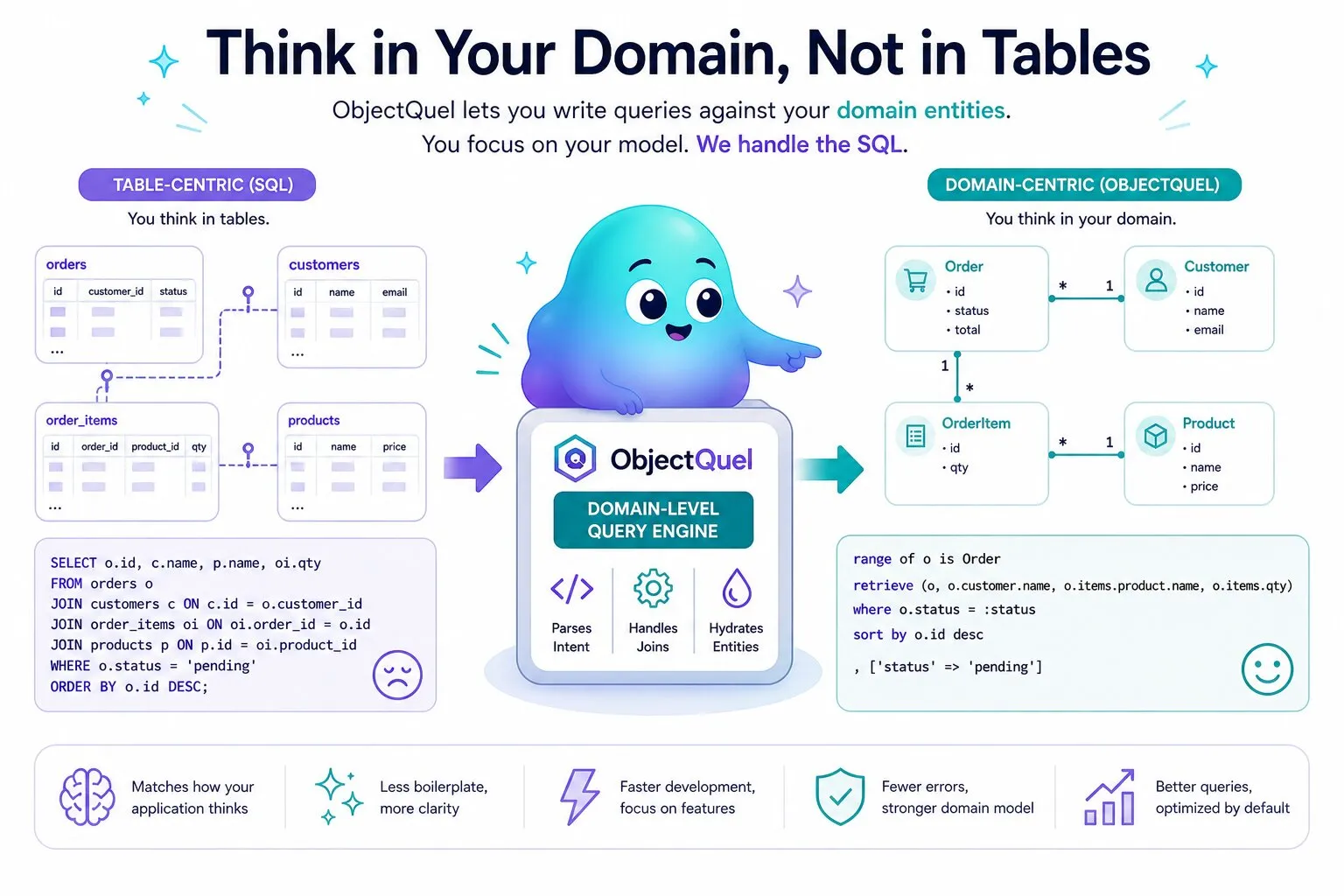
ObjectQuel is inspired by QUEL, the query language from UC Berkeley's Ingres project. Unlike SQL's table-centric approach, ObjectQuel works directly with your domain entities using object-oriented syntax, and supports wildcards, regex, and full-text search alongside standard comparison operators.
The Shape of a Statement
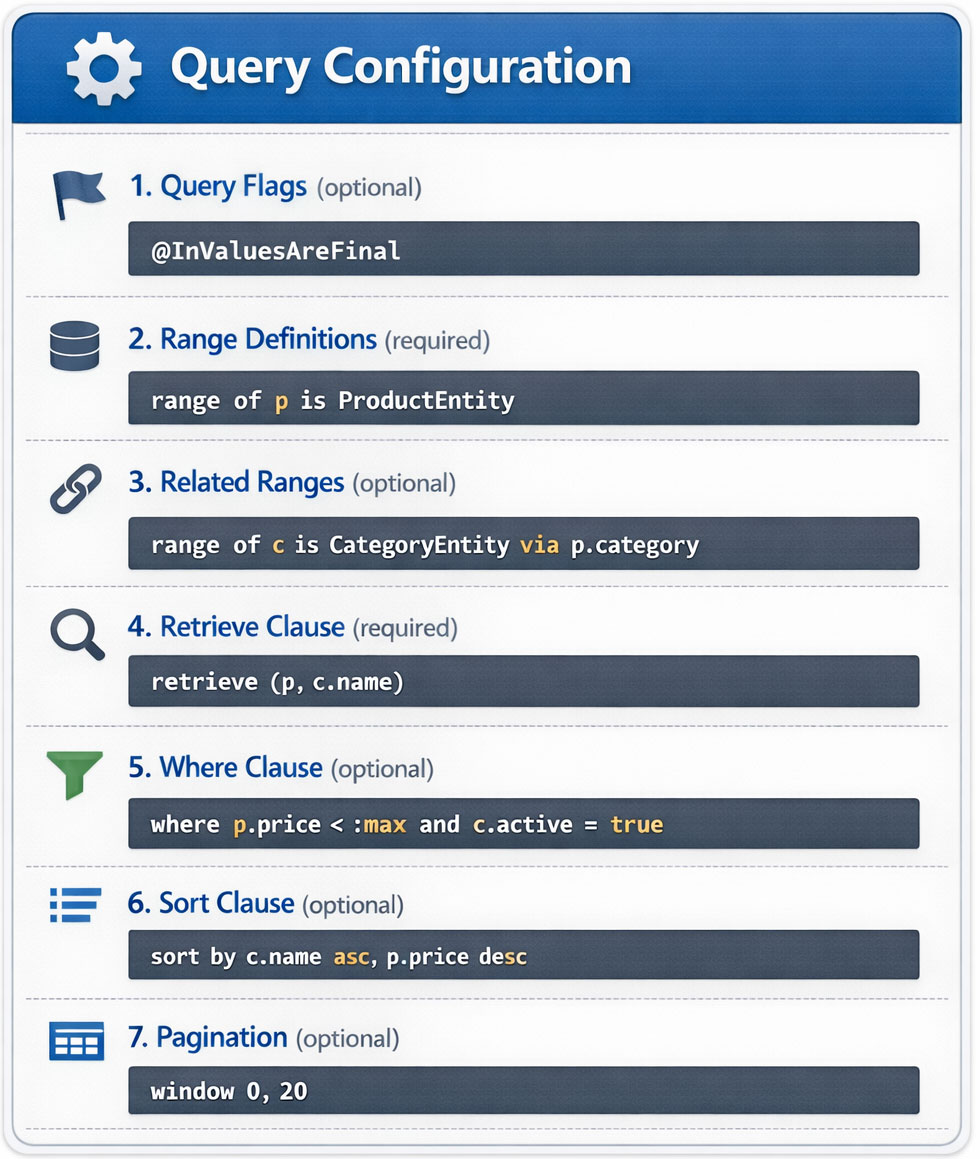
Every range-based statement — retrieve, append, replace,
delete, and upsert (append ... or replace ...) — shares the same skeleton,
written in this order. DDL statements (create/alter/destroy/
index) are the exception: they target a table by name directly and don't declare ranges at
all — see Creating, Altering & Destroying Tables &
Indexes.
Clauses at a Glance
- Flags (optional, verb-dependent) — Written before all other clauses, flags adjust query execution behavior. For example,
@InValuesAreFinaltells the optimizer that every value in anINlist will match exactly one row. - Range definitions (optional) — Declare which entities the statement operates on and assign each one a short alias. Every alias used afterward — in the verb clause,
where, orsort by— must be declared here first. See Range Definitions. - Verb clause (required) — What the statement does:
retrieve (...)reads data (see Retrieving Data);append/replace/deletewrite it (see Inserting Data, Updating Data, and Deleting Data). - Where (optional on
retrieve, mandatory onreplace/delete) — Filters or targets rows using comparisons, set membership, null checks, and function calls. See Filtering & Parameters. - Sort by (optional,
retrieveonly) — Orders results. Multiple fields are evaluated left-to-right as tie-breakers. See Sorting & Pagination. - Window (optional,
retrieveonly) — Paginates results by page number and page size. Always pair withsort byto keep page boundaries stable.
Query Optimization Flags
Flags are optional and their availability depends on the verb. @InValuesAreFinal applies to retrieve; @ignoreSoftDelete also applies to delete.
@InValuesAreFinal
By default, ObjectQuel scans all rows even when using an IN clause, because it cannot know whether a column is unique without being told. The @InValuesAreFinal flag asserts that each value in the IN list matches exactly one row, allowing the query planner to stop as soon as all values have been found:
$results = $entityManager->executeQuery("
    @InValuesAreFinal
    range of p is App\\Entity\\ProductEntity
    retrieve (p) where p.productId in (:ids)
", ['ids' => [1, 2, 3, 4, 5]]);@InValuesAreFinal when the IN clause targets a primary key or unique column. Applying it to a non-unique column will cause the query to return incomplete results.
@ignoreSoftDelete
By default, ObjectQuel automatically excludes soft-deleted entities from query results. When an entity property is annotated with @SoftDelete, ObjectQuel treats it as an implicit filter — rows where that column indicates deletion are never returned unless explicitly requested.
The @ignoreSoftDelete flag disables this filter for the duration of the query, returning all rows including soft-deleted ones:
$results = $entityManager->executeQuery("
    @ignoreSoftDelete
    range of p is App\\Entity\\ProductEntity
    retrieve (p) where p.productId in (1, 2, 3, 4, 5)
");